






RPay Balance Enquiry: How to Check Your Salary Card Balance in UAE
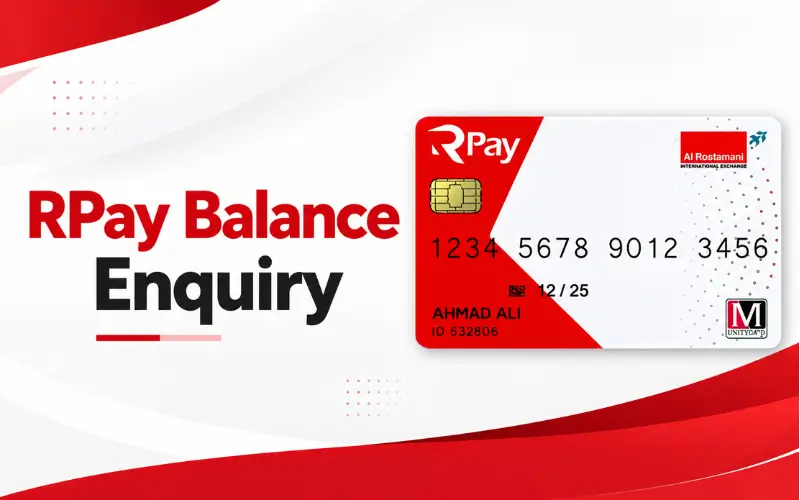
UAE salary-card holders can use RPay balance enquiry to keep track of their salary payments and available balance. The RPay card balance can be viewed using the official Al Rostamani International Exchange (ARIE) mobile App (where available) or via a compatible ATM. Balance enquiries at an ATM can have charges depending on your card and according to the applicable fee schedule.
You can use an official service associated with your card to view your RPay account balance. Please contact Al Rostamani International Exchange customer support at 600 540 004 within the UAE if your balance has not been credited, if a transaction is listed incorrectly, or if your salary has not been credited. Also speak to your employer’s payroll department if you miss salary payments.
What Is an RPay Payroll Card?
RPay is a card issued by Al Rostamani International Exchange that is used for salary payments. The provider’s payroll service can be leveraged by the employer to distribute employee salaries under the arrangements of the UAE’s Wages Protection System (WPS).
One card provides eligible workers access to their wages without having to maintain a traditional personal bank account. Cardholders can take cash, pay at participating retailers, and avail other facilities as per the arrangement of the cards.
RPay is tied to multiple card offers, such as those from different processing partners. As a result, the specifics of features, transaction limits and fees might differ. Read the conditions of your specific RPay card, and don’t assume that all cards are the same.
A balance enquiry is just a query of how much money is on your card. Doesn’t involve asking for a salary statement or inquiring about why your employer gave you a specific amount.
How to Check Your RPay Balance Online
The official ARIE mobile application is the primary digital solution for controlling the supported RPay services. The Al Rostamani International Exchange offers links to its applications via its official website.
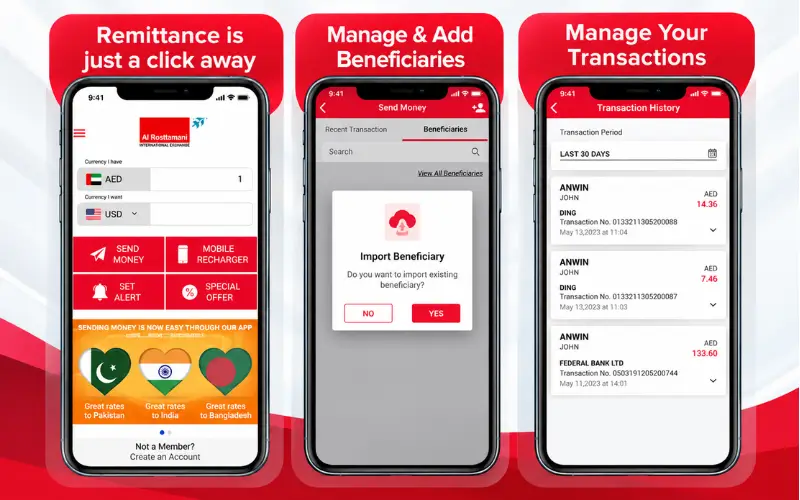
Steps for an online balance check
- Visit the official Al Rostamani International Exchange website and click on its link to download the Al Rostamani International Exchange app for your device.
- Download and launch the app.
- Sign up or log in with the official service’s details.
- Look in your account for the RPay or other payroll card service.
- Fill in any necessary ID or mobile number verification.
- If present, go to the balance and/or card information section and view the balance.
The menu names and the required registration may be subject to change, depending on app updates and RPay card types. If your card has not been received, contact the provider and do not sign up via any unofficial site.
Important: Remember that an ordinary money transfer account does not necessarily mean that you will also have access to your payroll card. Check if the app is available for your own RPay card plan.
Can you check the RPay balance through a website?
Al Rostamani International Exchange has an official site and a separate online payroll site for business payroll services. But does the presence of the payroll portal mean that all employees are able to access an individual payroll card balance via a public web page?
To check an individual salary card, please visit the official app or a supported ATM. For those who need a browser-based service, inquire with customer service which service is available for your card.
RPay Balance Enquiry Through an ATM
If you can’t use the mobile app, an ATM is an easy option. Al Rostamani’s published RPay terms identify ATM balance enquiry and the ARIE mobile application as ways to obtain balance information. They also notify the prospect that fees may be incurred.
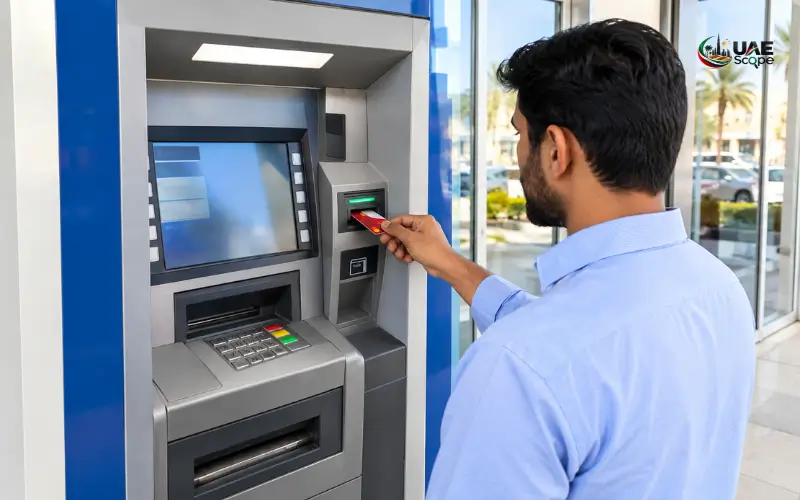
Steps to check your card balance at an ATM
- Look for an ATM that will work with your RPay card.
- Slide in the card and choose the language.
- Enter your PIN by typing it in.
- Click on Balance Enquiry or similar.
- Look to see how much money you have remaining.
- Give a receipt only if necessary, enquiring about any relevant fee before giving it.
The menu options vary based on the ATM network and card. If the machine does not recognise your card, cancel and speak to Al Rostamani International Exchange for help.
How much does an ATM balance enquiry cost?
There could be a charge for enquiries of the balance at an ATM. The indicative schedule of fee rates featured in the published RPay terms and conditions is: AED 2.10 per domestic bank ATM balance enquiry and AED 5.00 per international ATM balance enquiry. The information in this document is as of November 2019 and is not an indication of current prices.
| Enquiry method | What to know |
| Official mobile app | Check whether your card and service support balance viewing. |
| Domestic bank ATM | A balance enquiry fee may apply. |
| International ATM | International enquiry charges may apply. |
| Customer support | Confirm the current options and charges for your card. |
Check the ATM’s fee and the terms of your card before using it. If you have to look at your balance only, consider the cost of an ATM enquiry with the availability of the digital option.
RPay Balance Enquiry by SMS
Some payroll cards will send text messages for transactions or salary deposits. According to the official payroll information for Al Rostamani, SMS alerts are also on their list of RPay services.
An SMS alert, however, does not necessarily have to be an SMS balance enquiry service. I was not able to check out an up-to-date, universal RPay SMS command and destination number from the provider’s official resources.
To receive your balance via text message, please check with Al Rostamani International Exchange to ensure your mobile number is correct. Never text a card number to an unknown phone number, nor use an SMS code that has been promoted elsewhere.
If you have already received salary-credit alerts, read through the message to confirm the credited amount and any information that is contained in the balance. Use an official channel that is supported to get the most current balance.
RPay Customer Care Number in UAE
If you can’t log in to your account, or you feel the amount of money shown is not correct, please reach out to the provider directly.
Al Rostamani International Exchange
Inside the UAE
600 540 004
The official customer contact number is 911. 911 is the official customer contact number.
Outside the UAE
+971 4 454 3200
ariecrd@alrostamanigroup.ae
Al Rostamani customer support: 600 540 004 (UAE). Listed hours: 8:30 AM–5:30 PM.
If you reach out to support, tell them if you need a balance check, a transaction history, a PIN reset, or if they need to assist you with a missing salary payment. These are separate requests and may need to be done separately.
Have your card and identification on hand should verification be required. Do not share your PIN, password, or one-time password (OTP) with someone else.
How to Check Your RPay Salary Credit
A salary credit check verifies if your employer’s salary is included in your card balance or transactions. It is not a self-confirmed amount of the contract of work.
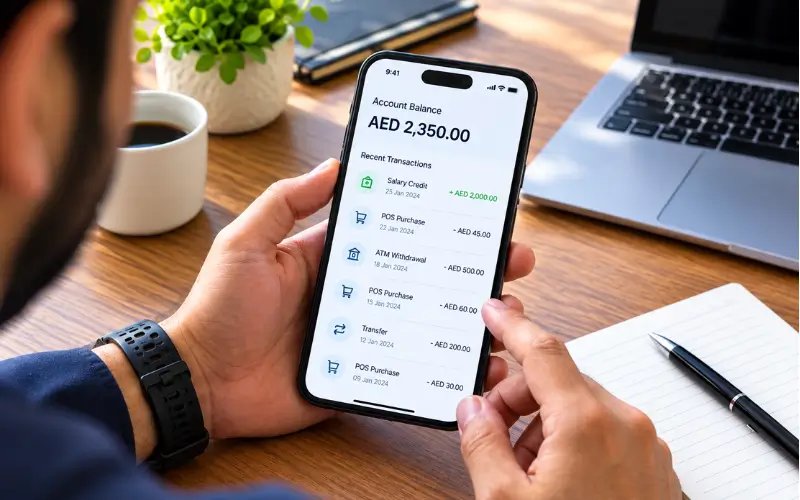
Once you’ve received your payday, log in to the card services you have for your available card and see the recent transactions. Check the salary credit and compare it against what you’re expecting in “net pay.Check the salary credit and compare it to what you expect in “net pay.
If the salary is there, but the balance is not as expected, check any subsequent withdrawals, purchases, etc. recorded. This can help you figure out when it was a salary discrepancy and when it was a spending discrepancy.
If there is no salary credit, reach out to your HR/Payroll Department to verify that payment has been made and submitted. As per Al Rostamani’s published RPay terms, the employer dictates how the salary is to be disbursed, and salary-amount issues should be taken to the employer.
What to do if the salary amount is incorrect
Before making a complaint, consider the following information:
- The amount of salary you had in mind.
- The net amount that will be credited to your card.
- The date of the credit, if applicable.
- Deductions or allowances on your payslip.
- Any transactions that occurred after receiving the salary.
If your employer provides you with an explanation of the difference with overtime, unpaid leave, deductions and allowances. If the issue is related to your card access, unrecognised transaction or missing credit that has been processed by your employer, contact the card provider.
Common RPay Balance Enquiry Problems
If you don’t get a balance back, it doesn’t necessarily mean you are out of money. This may be due to registration, a wrong PIN, a temporary interruption of the service, or card issues.
The app does not recognise your card
Verify the application is the official application and card service. Please ensure that the information entered is consistent with the information requested at registration.
If it doesn’t go away, contact customer support to confirm if your card is supported by the service and if your profile requires an update.
The ATM declines the balance enquiry
Make sure the ATM is accepting your card and that you have entered the correct PIN. Do not repeat the attempt if it is possible the PIN was incorrect; otherwise, any unsuccessful transactions could incur charges according to the terms in question.
If the other supported ATM also refuses the request, then contact Al Rostamani before reattempting.
Your balance has not updated
Look at the latest transaction line and determine if the transaction is pending or if it is completed (if available). When a Salary Credit is not listed, check with your employer.
Call the provider with the date and amount of the transaction if it is suspected that a transaction is wrong or has not been resolved.
You have forgotten your PIN
Please refer to the official card support process for PIN recovery/regeneration. The published RPay terms cover the cost of the PIN, which will be subject to a charge; the exact amount of this charge should be checked before requesting the service.
Never share your existing PIN with anyone claiming to help you reset it.
Your RPay card is lost or stolen
Reach out to Al Rostamani International Exchange right away via the official channels of support. Request that the provider lock or block the card and communicate with them about how it is to be replaced.
Look at the recent trades, too. If you recognize no transaction, report it so the provider can clarify what action to take to dispute it.
RPay Card Charges and Balance Management
Available balance is the amount of money you have available with your card. This can be different from your base salary due to a withdrawal, a purchase, a fee, or any other transaction.
RPay card fees vary based on the card agreement and conditions. The Wages Protection Scheme is published by Al Rostamani, a Key Fact Statement that contains information on payroll services, card types and fees. Current published fee tables provided by the provider should be followed over older fee tables reproduced on third-party websites.
Before using your card, see the following to avoid unnecessary expenses:
- If there is a fee for the ATM or transaction.
- If you want to use the service your card does or doesn’t support.
- If there are any extra costs for international transactions.
- If the balance shown includes all recent transactions.
You should be able to find out about any unexpected deductions sooner by keeping track of what you are spending and reviewing your balance before making large purchases.
RPay Balance Enquiry vs. C3Pay Balance Check
There are two different payroll-card services: RPay and C3Pay. The fact that payroll information has similar names for the cards or similar references to the two services does not imply that either can be used for the other in either case.
If you have an RPay card, use the information on the card and follow the instructions provided by Al Rostamani International Exchange. If your card is a branded C3Pay card, be sure to utilize the official service linked to that particular card.
The distinction is important if you are looking for a balance enquiry number, mobile app, PIN reset process, or transaction fee. If the instructions given on one card are used on another, this can result in a rejection of an enquiry or in unhelpful attempts to register.
Conclusion
To check RPay balance easily, use the official Al Rostamani International Exchange app or a supported ATM if you are unable to use the app. When making an ATM enquiry, confirm applicable fees before making a transaction, and if the card is not recognised or if a transaction appears incorrect, please contact customer support.
For problems involving the loss of pay or an incorrect amount of payment, also include your employer’s payroll department. When you use the correct channel for the problem you need to solve, you will be able to verify your available funds and answer salary-card problems without the need to utilize unverified balance-checking websites.
Read Also: ATM Balance Check in the UAE: How to Check Your Bank Balance
Lulu Balance Check: Online, App and In-Store Methods in the UAE|
Lulu Balance Check: Online, App and In-Store Methods in the UAE
Frequently Asked Questions
How can I check my RPay balance in the UAE?
Use the Al Rostamani International Exchange app (if available) or an ATM that is compatible with the app.
What is the RPay balance enquiry number?
Please dial 600 540 004 in the UAE to get help with your RPay card balance and queries.
Can I check my RPay balance without the app?
Yes, using a compatible ATM is possible. Enter your card number, PIN, and choose the ‘balance enquiry’ option.
Can I check my RPay balance through SMS?
SMS alerts might be available, but check with Al Rostamani if your card allows you to check your balance via SMS.
Is RPay balance enquiry free?
Not always. Balance enquiries on ATMs may cost you money, so please check the fee schedule before using the ATM.
Why is my RPay salary not showing?
Make sure to call your payroll department at your company to verify payment. If the salary was processed but is not showing, reach out to Al Rostamani support.
Can I check my RPay balance using my Emirates ID?
Using an Emirates ID may not be enough to check your balance. Contact customer service using an official supported service.
How can I get my RPay mini statement?
Ask your card service about transaction history or statements. If you need assistance with accessing your records, contact Al Rostamani.
What should I do if my RPay card is blocked?
Please check with Al Rostamani International Exchange if there is an issue and then contact them for restoration or replacement of your card.
How can I report an unknown RPay transaction?
Send an email asking Al Rostamani to come back to you immediately with the date and amount of the transaction. Ask the provider if the card can be secured if it may be compromised.