







NBAD Balance Inquiry How to Check Your Bank Balance in the UAE
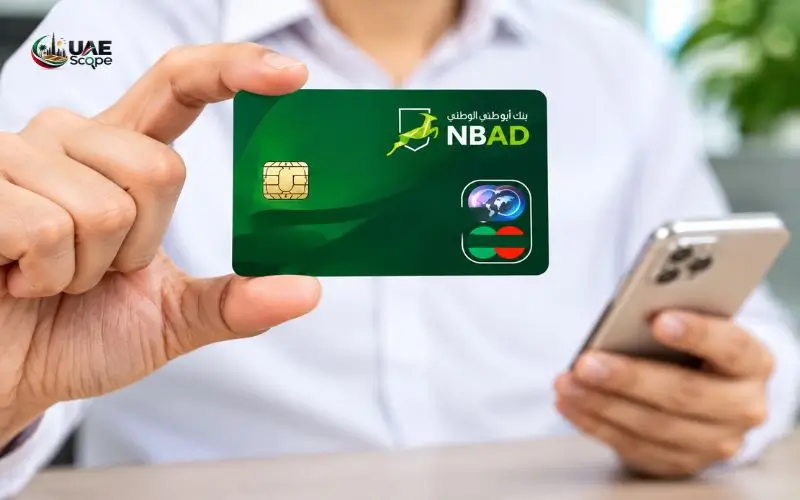
NBAD balance inquiry services are now managed by First Abu Dhabi Bank (FAB), following the merger of National Bank of Abu Dhabi and First Gulf Bank in 2017. Current or former NBAD customers can continue to use banking accounts they previously had with NBAD on FAB’s online platforms if they have bank accounts available for them to use. There are several different ways to check the balance of your bank account without going to a branch.
They can check their account balance and transaction history through the FAB Mobile application, internet banking, or the ATM. If you can’t log in, you can also give FAB customer service a call for support. This article covers how to view your previous NBAD account balance, how to access online banking and the common account issues that can be solved in the UAE.
What Is NBAD Balance Inquiry?
The balance inquiry by NBAD is the checking of the balance of a previously opened account with the Bank of Abu Dhabi, the National Bank of Abu Dhabi. It’s a service offered to consumers to check their bank account balance without making a trip to the bank for each query.
NBAD is now an entity of FAB, and it is advised that customers use their official banking platforms instead of looking out for NBAD mobile application/portal.
Depending on the account and services available, customers can check:
- Current account balance.
- Savings account balance.
- Available funds.
- Recent transactions made in deposits and withdrawals.
- Debit card transactions.
- Outstanding balance of credit cards.
- Previous account transactions.
Be sure to distinguish between account balance and available balance. The available balance is what you can actually spend in your account after pending transactions or holds, whereas the account balance is the recorded balance, not adjusted for holds or pending transactions.
Why Did NBAD Become FAB?
In 1968, NBD was formed and became one of the big financial institutions in the UAE. Other well-known banks in the country included First Gulf Bank.
The two banks merged in 2017 to form First Abu Dhabi Bank. The two institutions merged under the name FAB and continued to serve customers in the banking sector.
The merger was finalized in March 2017, and the combined shares of FAB started trading on the Abu Dhabi Securities Exchange in April 2017. The bank’s merger information can be found on its official website.
What Happened to Existing NBAD Customers?
Consumers were not required to terminate the account with their previous bank.
Existing customers joined the amalgamated banking institution, and their banking services were provided by the bank systems of FAB and the appropriate banking arrangements were in place.
If you previously had an account with NBAD, you need to:
- Go to the official FAB website.
- Verify if the current login information is still current.
- Register with FAB’s online or mobile banking if necessary.
- If the old account details are not recognized, please contact customer support.
Please do not assume that an old NBAD website, application, or third-party balance-check service is running.
Methods to Check Your NBAD Account Balance
FAB offers customers a variety of digital banking services to keep an eye on their accounts. Many customers will find it easiest to use the mobile app, as it offers access to account details and transaction history.
The following are the key techniques that are available.
1. Check Your Balance Through FAB Mobile App
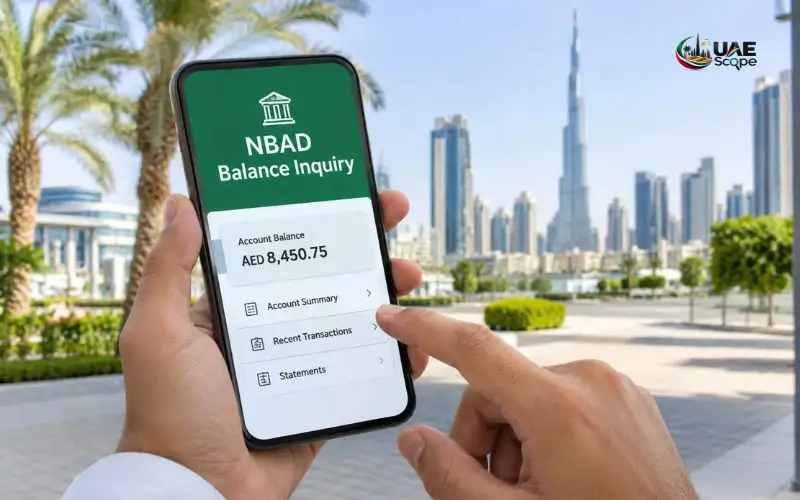
FAB Mobile app is one of the most convenient ways to get banking information. It enables qualified consumers to access account balances, see transactions, and handle various typical banking actions.
FAB confirms that they have a mobile app that supports viewing account balances and transaction history.
Steps to Check Your Balance
To log into your account, follow the steps below:
- Open your preferred app store (Apple App Store or Google Play Store).
- Look for the official FAB Mobile app.
- Download the app released by First Abu Dhabi Bank.
- Use the application on your mobile phone.
- Please enter your registered login information.
- Fill out the necessary security check.
- Go to your Dashboard, then to Accounts.
- Click the account to view.
If sufficient account details are provided and the service is available, your account information should be visible on the screen.
Recent transactions can also be viewed to see when any funds have been credited or deducted.
What If You Have Never Registered?
If the customer is new to FAB Mobile, he or she might have to sign up.
Ensure that your relevant banking details, including your account details, registered mobile number and identification documents (where applicable) are on hand.
Follow the instructions as mentioned in the official application. These verification requirements may be different for each customer profile and account.
Note: Please download the app from the official app stores only. Don’t use applications from untrusted websites or messages.
2. Check Your Balance Through FAB Internet Banking

Users of a computer may obtain banking information from FAB Internet banking.
This is handy if you don’t want to install a mobile app or want to check your account data on a bigger screen.
According to the official website of FAB, Internet banking has been declared as a service. The official FAB service status page says that the Internet banking is declared as a service and users can check their balance and history of transactions.
Steps to Use Internet Banking
- Open the official FAB website.
- Go to the section on the personal banking log-in page.
- Click on the Internet banking option.
- Please log in with your registered User ID and password.
- Fill out any extra security checks.
- Go to the accounts page.
- Click on one of the accounts to check its balance.
After successfully logging in to your account, you can also avail of other banking options available.
These can involve such things as viewing transaction records, card information, making transfers and downloading account statements.
Forgot Your Internet Banking Password?
In case you don’t remember your password, use the official account recovery.
Complete the steps for ID verification as outlined by FAB. You may be asked to verify details related to your bank account before you set up a new username and/or password.
Never give your password, PIN, or one-time password (OTP) to anyone who says they are from the bank.
3. Check Your Balance at a FAB ATM
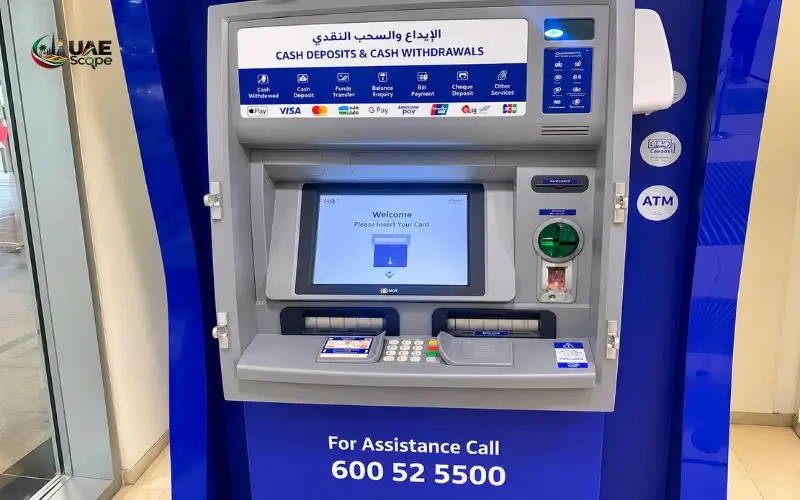
For customers who like to view their account information personally, there is an ATM.
FAB has ATMs in various locations throughout the UAE such as shopping centres, commercial areas and bank branches.
You may be able to use your eligible debit card to avail the banking services provided by the ATM.
Steps to Check Your Account Balance
- Find a FAB ATM near you.
- Put in your debit card.
- Choose the language of your choice.
- Enter your ATM PIN.
- Check out the balance enquiry.
- If asked, choose the appropriate account.
- Check the balance on the screen.
- Pick up your card before you go!
Depending on the kind of services offered and the type of ATM, some might provide a printed balance receipt.
Can You Use Another Bank’s ATM?
Eligible debit card customers might be able to deposit and withdraw funds at other bank ATMs. But there are some services that are available and the limits of transactions as well as applicable fees may vary.
If you need to use another bank’s machine, make sure to review any fees and conditions. For those who just want to see the balance, it might be simpler to utilize FAB’s official digital banking routes.
4. Contact FAB Customer Support

Contacting FAB customer support is another alternative in case you can’t access the mobile application or internet banking.
The support staff can assist with account access issues, registration troubles, card queries, as well as other banking inquiries.
When a bank wishes to provide you with an account statement, they will likely need to confirm your identity first.
How to Contact FAB
You can use the following official support channels:
| Support channel | Contact option |
| Official website | bankfab.com |
| Mobile application | Help & Support |
| Customer service | Official FAB contact page |
| Social media | @FABConnects |
| Branch assistance | FAB branches across the UAE |
Visit the FAB Contact and Support page to find the latest contact information for your particular banking service.
The site also offers frequently asked questions, complaint and feedback facilities.
Security tip: Do not give your complete card PIN or online banking password or OTP to anyone over the phone. The bank’s identity verification process is what the support representative should abide by, not asking you for any security information that is supposed to be kept confidential.
5. Visit a FAB Branch for Account Assistance
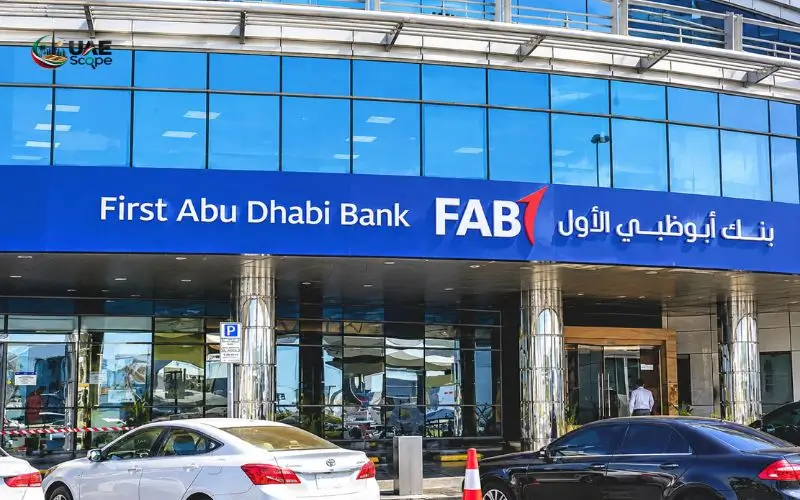
Going to a branch of the bank can be helpful if you can’t solve your account issue using digital channels.
You might need help if your bank account is not identified or if your access is limited, for instance, or if your personal information is not up to date.
You can proceed to the proper verification process with a branch representative.
Documents to Carry
Before you come to a branch, try taking:
- Original Emirates ID (if applicable).
- Passport and other identification papers.
- Current debit card (if available).
- Previous account information.
- Registered mobile number.
Specific documents will vary depending on the type of request. Always check with the bank before travel if you have any questions.
You can find branch information through the official FAB
NBAD Balance Inquiry for Different Account Types
Customers can have multiple banking products, and the information presented may differ based on their banking product or card.
When you compare funds, knowing the distinctions might help you pick the right one for you.
Current Account Balance
A current account is typically used for your daily financial transactions like your salary, bills or transfers.
Through digital banking services, customers may check their account balance and the last few transactions.
If you already have an account and your salary is deposited there, the transaction history can also serve as evidence that your employer has deposited your salary.
Savings Account Balance
A savings account typically holds money until a profit or interest is earned, on the terms of the account.
There is a banking dashboard, from which the customer can choose the savings account to check the amount in it.
A balance of the displayed amount may not match the amount of earnings due due to profit payments or withdrawals from the account or if there are other account adjustments.
Debit Card Balance
A debit card is linked to a qualifying bank account and provides consumers with access to their money via purchases and cash withdrawals and other authorized activities.
When reviewing the available credit on a debit card, keep in mind that the balance is typically tied to the debit card’s account balance, not the specific debit card.
Credit Card Outstanding Balance
Credit cards are not like current and savings accounts.
The credit card section lists spending, repayments, outstanding and available credit instead of showing money being deposited by the customer.
FAB Mobile allows you to view your credit card balances and transactions.
When reviewing the amount of obligations customers have on their cards, they should refer to the credit card section and not the regular account dashboard.
How to Check Your FAB Account Transaction History
While checking your balance will let you know how much money is in your account, simply reviewing your transaction history will give you more detailed information on what’s been happening in your account.
FAB Mobile provides customers the ability to see transaction information and get their transaction history downloaded.
Steps to Review Recent Transactions
- Log in to FAB Mobile.
- Go to the “Accounts” section.
- Choose your desired account.
- Click on View transactions.
- Check the deposits and withdrawals shown.
- Click on an individual transaction to see the details (if available).
Looking through the transaction history, you may be able to see whether salary was deposited, cash was withdrawn, card payments were made, or electronic transfers were made.
If you see something you don’t recognise, contact the bank via the official bank support channels.
Can You Download an Account Statement?
Yes. FAB Mobile offers e-statement facilities also.
Customers may download and subscribe to e-statements as offered by the customer’s account services and as per the conditions.
An account statement is helpful if you want to have a formal record of your financial activity for personal budgeting, employment records, or other administrative requirements.
Don’t forget that a transaction history does not always equal an official bank statement. Employ the statement facility in situations where a formal banking record is required.
Why Is Your Previous NBAD Account Not Showing?
Existing NBAD customers may experience difficulties trying to log on to their accounts via FAB’s online services.
There can be several reasons for this issue. Knowing what things can go wrong and what the next steps are can help you identify what to do next.
1. Old Login Credentials Are Not Working
If your digital banking login has been changed, or you need more verification, your previous login information may not work.
Don’t keep entering wrong passwords or usernames. Do not enter the wrong password or username repeatedly.
2. Your Registered Mobile Number Has Changed
Registered contact details are utilized in banking applications to confirm identities and for security updates.
In case you have modified your mobile phone number, you might must go through the bank’s processes of verifying the number upgrade.
Please do not register with another person’s phone number.
3. Your Account Has Restricted Access
Restricted access can be due to pending verification, or due to other banking requirements, such as customer information that is outdated.
Talk directly to FAB to know why and what documents are needed for gaining entry back.
4. The Application Is Not Working
In some cases, customers may not be able to get their banking data due to an application problem.
Use the tips below to troubleshoot what might be wrong:
- Test the internet connection.
- Update the FAB Mobile App.
- Restart your smartphone.
- See if the bank has said it had a service interruption.
- Use internet banking on the official website.
Don’t provide your login information to an unofficial service provider. If the problem persists, call customer service instead.
5. You Are Using an Old NBAD Website
Another potential problem is that they might be trying to log in to an outdated banking page.
The customers should opt for the official website and banking platforms to make use of NBAD, as it has become a part of the FAB.
Don’t provide account information to sites that are not verified and use old NBAD branding.
Is NBAD Balance Enquiry Available Through SMS?
Many customers look for an SMS service as they need to verify their funds without opening a banking app.
But customers should make a difference between alerts from SMS transactions and a balance enquiry facility.
FAB offers digital banking capabilities, such as account information and real-time alerts. Certain SMS services are available depending on the account and banking setup.
Avoid using outdated NBAD SMS codes or mobile numbers from unofficial sites. The official channels of FAB’s information should be used to verify that a specific SMS service is supported.
SMS Alerts and Balance Checking Are Different
SMS notifications can warn you of a transaction or some activity on your account.
A balance enquiry will need the most up-to-date account information, however.
Consider using FAB Mobile or internet banking, not just an old SMS alert if you’re looking for an accurate account balance.
NBAD Balance Inquiry Without a Debit Card
Not all customers have a debit card, and some may lose their card or need to replace it.
Thankfully, there are other ways to obtain account details other than a debit card.
Use FAB Mobile
Once successfully registered with FAB Mobile, you can log in and see your connected accounts without having to insert a physical debit card into an ATM.
This will be helpful for those who use their phones to bookmark their finances primarily.
Use Internet Banking
Customers can also login to their accounts using FAB Internet Banking.
Must be able to log in and complete necessary security procedures.
Contact Customer Support
If you are unable to use either of the digital banking options, please discuss alternative ID verification options with FAB.
The Bank will provide information on the documents or forms of authentication needed before assisting with an account.
Difference Between Account Balance and Available Balance
Understanding these two terms is important because they may show different amounts.
| Banking term | Meaning |
| Account balance | The recorded amount held in the account |
| Available balance | Funds currently available for use |
| Pending transaction | A transaction awaiting final processing |
| Held amount | Funds temporarily restricted from use |
| Outstanding credit card balance | Amount owed on a credit card |
For instance, if your account balance is AED 5,000 with AED 500 being temporarily held pending a transaction.
The available balance is AED 4,500, but the balance of the account is AED 5,000.
This difference does not necessarily signify an error. It could represent future payments, card authorisations, or other account changes.
If you are looking to check your money, you should be able to see the available balance amount if you’re looking to know how much money you can spend or withdraw.
How to Keep Your FAB Banking Information Secure
The ability to manage finances in online banking is easier, but customers have to be careful to secure their accounts.
Banking information can be at risk due to fraudulent messages, fake websites and impersonation calls.
Practices of security:
- Please use the official FAB website and mobile application.
- Set a strong and distinctive password for your banking.
- Don’t give out your ATM pin code or online banking password.
- Avoid providing OTPs to callers or strangers.
- Don’t use banking services on public Wi-Fi.
- Update your smartphone operating system and banking application.
- Regularly monitor your account activity.
- Report any suspicious transactions right away.
- Don’t click links that are not familiar to you in SMS or messaging applications.
What Should You Do If You Notice an Unauthorised Transaction?
Should you spot a transaction that you didn’t make, reach out to FAB ASAP by contacting its official customer service.
Use card-control or card-blocking facilities as applicable in a transaction that involves a debit or credit card.
FAB Mobile offers features for managing cards, such as freezing or unfreezing eligible cards.
Give the bank the necessary transaction data and follow their instructions for reporting the issue.
If you think you have been the victim of unauthorised use on your account, don’t wait until your next statement to find out.
FAB Banking Services Available Through Digital Channels
For those who have previously used NBAD’s banking services, they might also want to know what other services they are able to do through the FAB digital platforms.
The official service status page for FAB shows all the facilities listed below but at a more detailed level.
| Banking service | FAB Mobile | Internet Banking |
| View account balance | Yes | Yes |
| View transaction history | Yes | Yes |
| View credit card information | Yes | Yes |
| Make account transfers | Yes | Yes |
| Pay utility bills | Yes | Yes |
| Access e-statements | Yes | Yes |
| Manage beneficiaries | Yes | Yes |
| Reset password or PIN | Available | Available |
Some services may be subject to availability and availability may vary from one day to the next and may be dependent upon the type of account or customer registration.
Customers must refer to the service status page provided by FAB before depending on a specific digital banking facility.
Conclusion
The former NBAD customers are able to continue enjoying their bank services with First Abu Dhabi Bank (FAB) while enjoying the same privileges of NBAD. The former NBAD customers can access their banking services with FAB while enjoying the benefits of NBAD. The bank offers easy access, such as mobile banking, internet banking and ATMs, for viewing account balances and transaction history. In case of any issues with logging in or using an account, customers can reach out to FAB support for help. To safeguard your banking account, always use official banking channels and make sure your registered contact information is up to date. Former NBAD customers can manage their banking activities via FAB’s existing digital banking platforms, rather than relying on outmoded NBAD platforms or instructions.
Read Also:
Frequently Asked Questions
Is NBAD Still Operating in the UAE?
In 2017, No-NBAD came together with First Gulf Bank to form First Abu Dhabi Bank (FAB). The previous customers are now customers of FAB banking services.
How Can I Check My Old NBAD Account Balance?
Log in to FAB Mobile or Internet Banking, open the accounts section and select your previous account to view its balance.
Can I Check My NBAD Balance Online?
Yes. Existing customers can log in to their eligible accounts via the official FAB website or their mobile application.
Can I Check My Account Balance Without Visiting a Branch?
Yes. Registered customers can view balances via FAB Mobile and Internet Banking.
What Is the Official Website for Former NBAD Customers?
The official site is www.bankfab.com and customers can use their banking services and support on that site.
Can I Check My FAB Balance Using My Mobile Number?
Your registered mobile number will be used for verification purpose only and you will have to log in with a verified FAB banking channel to check your balance.
What Should I Do If My Old NBAD Login Does Not Work?
Take advantage of FAB’s password recovery or registration service. If the problem persists, please reach out to FAB customer support.
Can I Check My Credit Card Balance Through FAB Mobile?
Yes. To check the outstanding balance and transaction history of your credit card, log in to FAB Mobile, open the cards section and select your credit card.